
AI Face Swap Videos for Event Greetings
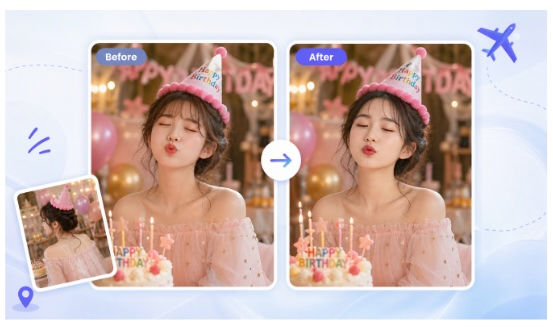
A personal greeting video can turn a regular event message into something people actually replay. I’ve seen it work best when the greeting feels specific to the guest, the joke fits the room, and the face swap is used as a playful touch instead of the whole point. The goal isn’t to trick anyone. It’s to make a birthday, wedding, reunion, or company event feel warmer, funnier, and more memorable.
Tools like EasyFaceSwap make this easier because you don’t need a studio setup or editing background to create a short customized clip. You still need good judgment, though. The best results come from choosing the right video, using clear face photos, keeping the message short, and getting consent from anyone whose face is used.
I’ve worked on event greeting videos where the finished clip was only 20 seconds long, yet it got the biggest reaction of the night. One birthday video used the guest of honor’s face on a famous dance scene, followed by a real voice message from the family. Another used a CEO’s face in a light comedy clip for an internal awards night. In both cases, the face swap worked because it served the moment, not because it tried to look perfectly real.
Using a Video Face Swap tool also saves time when you need several versions of the same greeting. For example, you can create one template video for an event and personalize it for five different guests, award winners, or team members. That’s where face swap videos become more than a novelty. They become a practical way to make people feel noticed.
Why Personalized Event Greetings Work So Well
Event greetings often fail because they feel generic. A slideshow of photos is sweet, but most guests have seen that format many times. A written card is thoughtful, but it usually reaches only one person. A personalized face swap video can bring the whole room into the reaction because it creates a shared surprise.
The strongest benefit is emotional timing. At events, people are already ready to laugh, cheer, or feel sentimental. A short custom video shown at the right moment can lift the energy in the room. It gives people something to talk about after the toast, between speeches, or during a break in the program.
There’s also a practical side. Not every friend, family member, or coworker can attend in person. A face swap greeting can make a remote message feel more present. I’ve seen families use it when a sibling was overseas, and the video helped them contribute to the celebration in a way that felt bigger than a standard recorded message.
Still, it’s important to keep expectations realistic. AI face swaps can look smooth, but they’re not magic. Bad lighting, blurry photos, covered faces, and fast head movement can create odd results. A simple video with a clear forward-facing face often works better than a dramatic action scene.
Event type | Best video idea | Main benefit |
Birthday | Guest’s face in a funny dance or movie-style clip | Gets fast laughs and makes the person feel celebrated |
Wedding | Couple swapped into a romantic or comedy scene | Adds surprise without replacing heartfelt moments |
Corporate event | Team member in an awards or hero-style clip | Makes recognition feel more personal |
Reunion | Old friend group in a nostalgic scene | Sparks memories and conversation |
Virtual party | Host or guest in a themed greeting clip | Helps remote guests feel included |
Real Event Scenarios That Benefit From Face Swap Videos
Birthday parties are one of the easiest places to use this format because the tone can be playful. A good birthday face swap video usually starts with a familiar setup, like a movie entrance, a dance scene, or a mock news report. Then the guest’s face appears in the clip, followed by a direct message from friends or family. The benefit is simple: it turns the birthday person into the star without asking them to perform.
The safest approach is to match the humor to the person. If they love being the center of attention, a bold video can work well. If they’re shy, I’d use a softer idea, such as their face in a warm travel montage or a favorite hobby scene. The point is to make them laugh with everyone, not feel laughed at.
Weddings need a lighter touch because the day already carries real emotion. I’ve seen face swap videos work well during rehearsal dinners, after parties, and reception segments where friends share funny stories. For example, a couple’s faces can be placed into a classic romantic scene, a fake movie trailer, or a short “how they met” sketch. The benefit is that it adds personality without replacing the sincere speeches and vows.
For weddings, I’d avoid anything that could embarrass the couple in front of older relatives or professional guests. Keep it short, tasteful, and easy to understand. A 30 second clip with one clear joke often lands better than a long video packed with references only five people understand.
Corporate events are another strong use case, especially for awards nights, retirement parties, team anniversaries, and sales kickoffs. A face swap greeting can make recognition feel less scripted. Instead of showing a plain slide with a name and title, you can place the winner into a heroic scene, a sports interview, or a mock broadcast where the message celebrates their real contribution.
The benefit here is engagement. People pay more attention when recognition feels custom. That said, corporate settings need clear boundaries. I always suggest getting approval from the person featured, avoiding political or sensitive clips, and keeping the tone aligned with company culture. If the person wouldn’t want the video shown on a big screen, don’t show it.
Family reunions and milestone anniversaries can also use face swap videos in a more nostalgic way. Instead of chasing a perfect realistic swap, you can create a warm tribute using older photos, family jokes, and a short themed video. A grandparent’s face in a classic dance scene or a group of cousins in a retro TV intro can get a big response because it connects generations through shared humor.
The benefit is memory. People don’t just watch the clip; they start telling stories around it. That’s when a digital greeting becomes part of the event, rather than just content on a screen.
Virtual events may gain the most practical value. When people are joining from different cities or countries, a personalized AI greeting can replace some of the energy lost through a screen. A host can open with a themed face swap welcome, or each guest of honor can receive a custom clip during the call. It gives the event a shared moment that doesn’t depend on perfect live timing or strong internet from every guest.
A Practical Workflow for Better Results
Start with the event mood before you choose the clip. Ask what reaction you want: laughter, warmth, surprise, pride, or nostalgia. This decision matters because the same face swap style that works at a bachelor party could feel wrong at a retirement dinner. A good greeting should fit the room before it impresses the room.
Next, choose a short source video with steady lighting and clear facial movement. Clips where the face stays visible work best. If the person in the source video keeps turning away, covering their mouth, or moving through shadows, the final output can look strange. Shorter clips also help because guests tend to enjoy a quick punchline more than a long AI effect.
Use a clean photo of the person whose face will be swapped. A front-facing image with good light and no sunglasses usually gives the tool more to work with. I’ve had better results with simple phone portraits than with cropped group photos from social media. If you’re creating videos for multiple people, use photos taken in similar lighting so the final set feels consistent.
Write the greeting around the video instead of forcing the video to carry everything. A short intro can set up the joke, then the face swap delivers the surprise, and a real message at the end adds heart. For example, at a company event, the host might say, “This person didn’t just hit the target. They carried the team like an action hero.” Then the video plays, followed by a sincere thank you.
Review the clip on the same screen or projector you’ll use at the event. This step is easy to skip, but it matters. A video that looks fine on a phone may look grainy on a large screen, and audio that seems loud on a laptop may be weak in a hall. I like to test the file at least once with the event sound system if possible.
Consent is not optional. Get clear permission from the person whose face appears, especially for public events or workplace settings. If the video includes children, get permission from a parent or guardian. Personalization should feel respectful, not invasive.
Tips, Limits, and Common Mistakes
The best face swap event greetings are usually simple. One clear idea, one strong visual, and one warm message will beat a complicated edit almost every time. Guests don’t need to see every feature the tool can do. They need to understand the joke or feeling within the first few seconds.
One common mistake is making the video too long. At live events, attention moves fast. A 20 to 45 second clip is often enough, especially if it’s part of a larger program. If you have many people to recognize, create a consistent format and keep each version short so the room doesn’t lose energy.
Another mistake is using a source clip that doesn’t match the person’s personality. A wild comedy scene may be funny for one friend and uncomfortable for another. The more public the setting, the more careful you should be. When in doubt, aim for affectionate humor rather than shock value.
Audio also matters more than people expect. A great face swap with muddy sound feels unfinished. If the clip has music, check volume levels before the event. If someone records a voice greeting, have them speak close to the microphone in a quiet room. Clean audio makes the whole video feel more polished.
There are technical limits too. AI can struggle with side profiles, extreme facial expressions, fast motion, facial hair changes, and low resolution footage. That doesn’t mean the video is unusable. Sometimes a slightly imperfect result is still funny and charming. But if the event is formal, test more than one clip so you have a backup.
Conclusion
AI face swap videos can make event greetings feel more personal, funny, and memorable when they’re used with care. They work especially well for birthdays, weddings, corporate recognition, reunions, and virtual parties because they turn a simple message into a shared moment. The real value isn’t just the swapped face. It’s the feeling that someone took the time to make the greeting specific.
For the best results, keep the clip short, choose clear source footage, use a good face photo, and build the message around the person being celebrated. Test the final video before the event and get consent from anyone featured. Done well, a personalized face swap greeting can become the moment people bring up long after the party ends.


