
Working From Home Without the Headaches: A Malaysian Condo Checklist
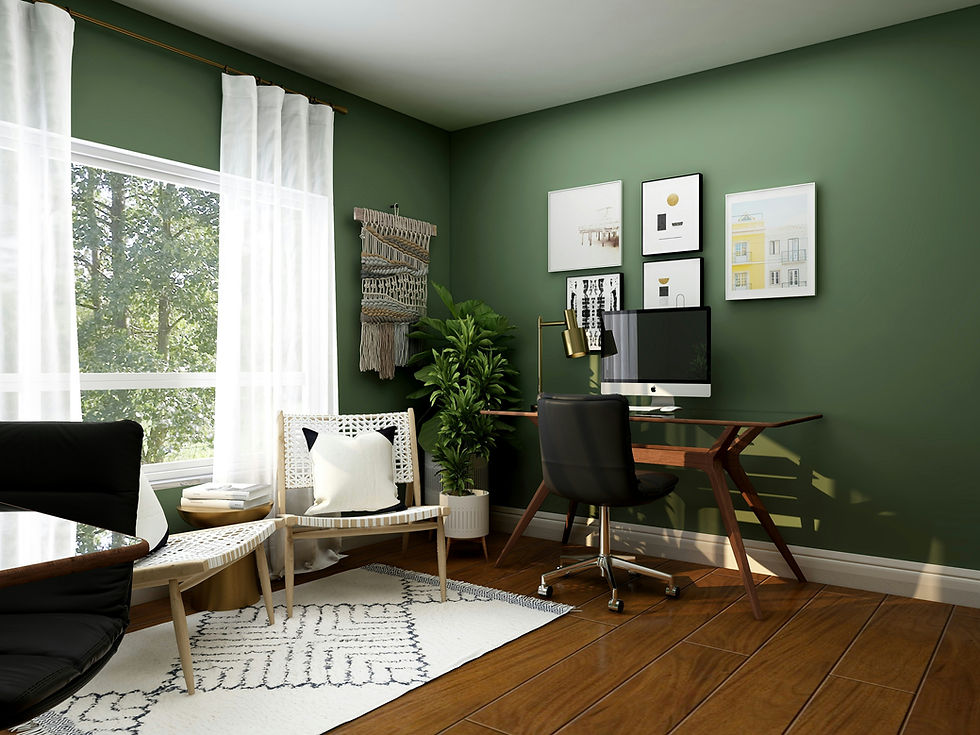
Working from home sounds simple enough. Open the laptop, make coffee, answer a few emails, and call it a day. Reality has a habit of being noisier. A neighbour starts drilling at 10am, the Wi-Fi pauses halfway through a client presentation, and the air-conditioning decides it has had enough just as the afternoon heat settles in.
For Malaysians searching for a condominium that suits remote work, the usual checklist needs a small upgrade. A nice pool and sleek lobby are lovely, of course, but a proper work-from-home setup often comes down to less glamorous details: internet coverage, sound insulation, reliable power, and somewhere sensible to take a video call.
Before signing a tenancy agreement or booking a viewing, it helps to look beyond the show unit sparkle. Here is what deserves attention.
Start With Internet, Not the Swimming Pool
Fast internet is no longer a bonus for remote workers. It is part of the furniture. Video meetings, cloud documents, large design files, online classes, and even a basic Teams call can become frustrating when the connection keeps dropping.
Malaysia has solid fibre coverage in many urban areas, especially around Kuala Lumpur, Petaling Jaya, Shah Alam, Subang Jaya, Johor Bahru, Penang, and Cyberjaya. Still, availability can differ from one condominium block to another. A development may advertise fibre-ready status, yet certain units may have limited provider options or awkward installation arrangements.
Questions Worth Asking During a Viewing
Which internet providers serve this specific unit?
Is fibre already installed, or will a new application be needed?
Where is the router likely to sit?
Is mobile data reception strong inside the unit?
Are there common complaints about slow speeds during peak hours?
It is worth checking the signal in the bedroom, living room, and any corner that could become a work area. Thick concrete walls, which are common in high-rise buildings, can weaken Wi-Fi surprisingly quickly. A unit may have excellent coverage near the entrance but leave the study corner hanging on by one miserable bar.
If possible, run a quick speed test while viewing the property. It may feel slightly cheeky, but it beats discovering a weak connection on the first day of a new job. For people using mobile hotspot backups, test more than one telco. Maxis may perform well in one building, while CelcomDigi or U Mobile may be stronger a few floors away.
Noise Is the Silent Deal-Breaker
Condominium living brings neighbours close together. That is part of the charm, until an important call clashes with renovation works, barking dogs, traffic, motorbikes, or a lively family gathering next door.
Noise levels can change dramatically depending on the unit’s position. Homes facing major roads, LRT tracks, construction sites, schools, or commercial areas may be less peaceful during working hours. Lower floors can catch more street noise, while higher floors may be exposed to wind, rain, and the hum of mechanical equipment.
Check the Surroundings at the Right Time
A Sunday afternoon viewing rarely tells the full story. If remote work is a major priority, visit on a weekday morning or late afternoon. Listen carefully. Is there renovation drilling? Does the nearby road turn into a queue of honking cars? Can voices from the corridor be heard through the front door?
Also look at the unit’s layout. A bedroom tucked away from the living area can make a decent office. An open-plan unit may look stylish in photos, yet it can be awkward when one person is presenting to a client while another is blending sambal in the kitchen.
Windows matter too. Double-glazed glass is still less common in many local condos, but well-fitted windows and thicker curtains can soften outside sound. A little peace can make a huge difference when deadlines are looming and patience is running thin.
Power Reliability Is More Than a Minor Detail
Most established condominiums in Malaysia have dependable electricity, but power interruptions still happen. Heavy rain, maintenance work, local outages, and building faults can affect a workday at the worst possible moment. A laptop battery may carry someone through a short disruption, though routers, monitors, and mobile coverage can be another story.
Ask the management office whether the building has backup generators. In many developments, generators support lifts, corridor lighting, security systems, and pumps, rather than individual units. That is normal, although it helps to know what remains operational during an outage.
For anyone whose role involves regular online meetings or time-sensitive work, a small backup plan is sensible. A power bank, charged laptop, mobile hotspot, and nearby café with reliable internet can save the day. No one wants to explain that a quarterly meeting ended because the Wi-Fi router gave up in the rain.
It is also useful to check the unit’s plug points. Older units may have fewer sockets in practical places. Extension leads can solve the issue, but a desk surrounded by tangled wires is hardly the calm, productive corner most people had in mind.
Look for Co-Working Space That Actually Works
Co-working lounges have become a popular feature in newer Malaysian residential projects. Some are genuinely useful, with desks, air-conditioning, charging points, private rooms, and decent internet. Others are little more than a decorated lounge with two chairs and a suspiciously low coffee table.
When considering a development such as The Netizen , it is sensible to ask how the shared work areas are managed. A stylish brochure is one thing. Daily usability is another.
What Makes a Shared Work Area Useful?
Stable Wi-Fi with enough capacity for several users
Power sockets close to desks
Air-conditioning that runs during working hours
Comfortable seating rather than decorative furniture
Booking rules for meeting rooms or private pods
Reasonable operating hours, including evenings if needed
Clear rules around noise and children’s access
A co-working facility can be a lifesaver when the flat feels cramped or a family member is also working remotely. It also creates a helpful separation between home life and office hours. Even a short lift ride downstairs can signal that the working day has started.
Still, shared spaces are rarely a complete substitute for a workable home setup. During school holidays, weekends, or rainy afternoons, they may become popular quickly. Think of them as a reliable extra rather than the only place to get things done.
Pay Attention to Layout and Natural Light
A good work-from-home unit needs room for more than a laptop balanced on the dining table. A second bedroom, study nook, enclosed balcony, or even a wider hallway can become a practical workstation when arranged thoughtfully.
Natural light helps, but direct afternoon sun can turn a desk near the window into a small oven. Units facing west often receive stronger heat later in the day, particularly in Malaysia’s warmer months. Blinds, curtains, and tinted windows can help, though they may add to electricity use if the air-conditioning runs longer.
North- or south-facing units are often preferred for gentler light, but every development has its own orientation and surrounding buildings. A nearby tower can block sunlight, reduce privacy, or reflect heat towards the unit. Stand near the windows and look properly. The view matters, yet comfort matters more when that view becomes the backdrop for eight hours of work.
Do Not Forget Building Management
Good management can make remote working smoother without drawing much attention to itself. Parcel handling, lift maintenance, security, visitor registration, common-area cleanliness, and repair response times all affect daily life.
Ask residents or agents about maintenance fees and management responsiveness. A condominium with well-kept facilities usually signals an active management team, though appearances alone can be misleading. Notice the condition of lifts, corridors, rubbish areas, and notice boards. These small clues often reveal how the building is run.
For remote workers receiving equipment, documents, or regular deliveries, parcel procedures deserve a quick check too. Some condominiums have lockers or dedicated collection points. Others require residents to meet riders at the lobby. Neither arrangement is a disaster, but it is useful to know before a package arrives during a meeting.
A Home Office Starts With the Right Home
The best work-from-home condo is not necessarily the newest or flashiest one. It is the place where internet stays steady, noise stays manageable, power disruptions are easier to handle, and there is enough breathing room to focus.
Before choosing a unit, take time to test the practical details. Listen to the surroundings, inspect the plug points, ask about fibre coverage, and walk through the common facilities with a realistic eye. A good home office setup is less about chasing perfection and more about avoiding those daily little annoyances that slowly wear anyone down.
When the basics are right, working from home feels less like a compromise and more like a routine that genuinely works.


