
App Development Cost Calculator Tools and Guide: Factors, Estimates & Pricing
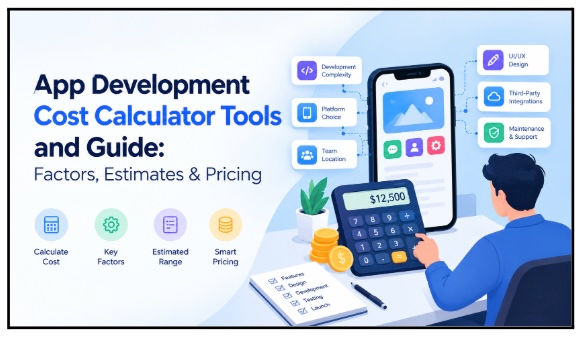
Ask ten development agencies how much it costs to build an app, and you'll likely get ten different answers. That's not because anyone is guessing randomly — it's because "building an app" can mean wildly different things. A simple app with a handful of static screens is a completely different project from an MVP built to validate a business idea, which is itself a different animal from a complex, multi-sided platform with real-time features and heavy backend logic.
This is exactly why so many startups underestimate what an app actually costs. They anchor on a number they heard somewhere — often for a much simpler product — and then get blindsided when their own requirements add layers of complexity nobody accounted for. This is where app development cost calculators and estimation tools come in. They won't give you a final invoice, but they will help you understand the moving parts that drive your budget up or down before you ever talk to a developer. In this guide, we'll walk through the key pricing factors, typical cost ranges by app complexity, how estimation tools actually work, and practical ways to keep your development costs under control.
1. What Is an App Development Cost Calculator?
An app development cost calculator is a tool — often available directly on an agency's website — that generates a preliminary budget estimate based on the details you provide about your app idea. Instead of waiting for a formal proposal, you get a rough number within minutes, which is useful for early-stage planning and internal conversations with stakeholders or investors.
These calculators typically ask for a combination of inputs, including:
App type — utility app, marketplace, on-demand service, social platform, and so on
Platforms — iOS, Android, or both
Features — from basic ones like user login to complex ones like live chat or payments
UI/UX complexity — simple templated design versus fully custom interfaces
Backend requirements — how much server-side logic and data processing the app needs
Integrations — third-party services the app needs to connect with
User roles — whether the app serves one type of user or multiple (e.g., customers, vendors, and admins)
It's worth being clear about what these tools can and can't do. A calculator gives you a preliminary estimate, not a final quotation. Think of it as a starting point for budgeting conversations rather than a number you'd put into a contract. If you're exploring your options early on, a mobile app cost calculator is a practical way to get a ballpark figure before you commit time to detailed requirement-gathering with a development team.
2. How Do App Cost Calculators Estimate Development Costs?
Under the hood, most calculators work off a fairly straightforward logic, even if the interface looks sophisticated. In simple terms:
Features + complexity + platforms + design + integrations + development resources = estimated development cost
Each input you select adds or removes effort from the total. The tool then converts that effort into hours, and those hours into a cost range based on typical development rates.
What trips people up is that not all features carry equal weight. Adding a basic sign-up and login flow, for instance, has a fairly limited impact on the overall estimate — it's a well-understood, repeatable piece of functionality. But adding something like payment processing, real-time chat, GPS-based tracking, or AI-driven recommendations can substantially increase both the estimate and the actual development effort, because these features often require additional infrastructure, security considerations, and testing.
This is why two apps that sound similar in a one-line description ("a marketplace app" or "a booking app") can have very different price tags once you look at the specific feature set underneath.
3. Average App Development Cost by Complexity
To make budgeting easier, it helps to think in terms of complexity tiers rather than a single price point. Here's a general framework:
App Type | Typical Complexity | Example |
Basic App | Low | Content or information app |
MVP | Low–Medium | Startup product prototype |
Medium App | Medium | Booking or eCommerce app |
Complex App | High | Marketplace or fintech platform |
Enterprise App | Very High | Large-scale business platform |
These tiers are meant to be planning categories, not fixed prices. An MVP for a niche service app and an MVP for a two-sided marketplace can land in very different cost ranges, even though both are technically "MVPs." The value of this framework is that it gives you a vocabulary for describing your project's scope when you're comparing calculator outputs or talking to development teams.
4. Key Factors That Affect App Development Pricing
This is where most of the actual cost variation comes from. Let's break it down by category.
4.1 Features and Functionality
The feature list is usually the single biggest driver of cost. Common features that affect pricing include user accounts, search and filtering, payment processing, in-app chat, push notifications, booking and scheduling systems, subscription models, AI-powered functionality, and real-time features like live tracking or live updates. Each of these adds development, testing, and sometimes ongoing infrastructure costs.
4.2 iOS, Android, or Both
Your platform choice has a direct effect on both cost and timeline. Options include:
Single-platform development — building for iOS or Android only, which is typically the fastest and least expensive route
Native development — building separate codebases for iOS and Android for maximum performance and platform-specific capabilities, which increases cost since you're essentially building two apps
Cross-platform development — using a shared codebase (such as React Native or Flutter) to target both platforms at once, often reducing cost and time compared to two native builds
4.3 UI/UX Design
Design complexity is easy to underestimate. Costs here can range from simple wireframes and templated layouts to fully custom interfaces, motion design and animations, clickable prototypes for stakeholder review, and usability testing to validate the experience before development. A highly polished, brand-specific design will naturally cost more than a functional, template-driven one.
4.4 Backend and Admin Panel
The backend is the part users never see, but it's often where a significant portion of the budget goes. This includes API development, database design, authentication systems, admin dashboards for managing the app, and cloud infrastructure to host and scale everything. Apps with multiple user types (customers, vendors, drivers, admins) generally require more robust backend architecture.
4.5 Third-Party Integrations
Very few modern apps are built entirely from scratch. Most rely on external services such as payment gateways, mapping and location services, CRM systems, analytics platforms, AI APIs, and SMS or email providers. Each integration adds setup time, and some come with their own usage-based costs that should be factored into your total budget.
5. Custom Development vs. White Label: Which Costs Less?
Once you understand what drives cost, the next decision is how you want to build. Broadly, there are two paths: building everything from scratch, or starting from an existing, proven technology foundation.
Custom development gives you maximum flexibility. You're not constrained by any pre-built structure, which makes it a strong fit for genuinely unique products or business models. The tradeoff is that custom development generally requires higher initial development effort, since every feature is built from the ground up.
White-label development, on the other hand, starts from an existing foundation that's already been built and tested. This allows for faster customization and can mean lower initial development effort, since core functionality doesn't need to be built from zero. This approach tends to work particularly well for businesses operating on well-established models — think delivery, booking, or marketplace apps — where reinventing the underlying architecture doesn't add much competitive advantage.
For early-stage founders trying to move quickly without inflating their budget, white label app development for startups is often a practical middle ground: you still get a functional, branded product, but without paying for every foundational piece to be engineered from scratch.
6. Hidden Costs Startups Should Include in Their Budget
One of the most common budgeting mistakes is treating the initial development quote as the entire cost of the app. In reality, that's just the beginning. Costs that continue well after launch include:
App maintenance and ongoing bug fixes
Hosting and cloud infrastructure fees
API usage charges from third-party services
Security updates and patches
Compatibility updates as new OS versions release
App Store and Google Play compliance requirements
Licensing for third-party software or tools
Analytics and monitoring tools
Customer support infrastructure
Future feature development as the product grows
The key takeaway here is that development cost is not the same as total cost of ownership. A realistic budget needs to account for the months and years after launch, not just the build phase.
7. How to Use an App Development Cost Calculator Effectively
Getting a useful estimate from a calculator depends heavily on how well-prepared your inputs are. A practical process looks like this:
Define the app's primary purpose in one or two sentences.
Identify who your target users are.
List every essential feature you can think of.
Separate MVP features from features you plan to add later.
Select your target platforms.
Identify any third-party integrations you'll need.
Estimate how complex your design needs to be.
Enter all of this into a calculator.
Compare a few different scenarios (e.g., MVP-only vs. full feature set).
Use the calculator's output as a basis to request detailed quotations from actual development teams.
Running multiple scenarios is particularly useful — it shows you exactly how much impact each added feature or platform has on your estimate, which helps you make informed tradeoffs rather than guessing.
8. How Startups Can Reduce App Development Costs
If your calculator estimate comes back higher than expected, there are several practical levers you can pull:
Start with an MVP instead of building the full vision at once.
Prioritize core functionality that delivers real user value.
Avoid adding features "just in case" — they add cost without validated demand.
Reuse proven technologies and frameworks instead of building custom solutions for solved problems.
Consider cross-platform development where it doesn't compromise your product's needs.
Evaluate white-label solutions for well-established business models.
Prepare detailed, written requirements before development begins to avoid costly rework.
Avoid repeatedly changing scope mid-project.
Plan backend architecture carefully upfront so it can scale without a full rebuild.
Keep a contingency budget for the unexpected — there's almost always something.
None of these require cutting corners on quality. They're about sequencing your spend so you're paying for validated needs rather than assumptions.
9. App Development Cost Calculator vs. Developer Quote
It's worth understanding clearly how a calculator estimate differs from a real quote from a development team.
Calculator estimates are fast, preliminary, and useful for early budgeting. They're based on the assumptions you select from a predefined list, which means they can't account for nuances specific to your project.
Developer quotes, by contrast, are based on your actual, detailed requirements. They include real technical architecture decisions, account for project-specific complexity that a calculator simply can't capture, and are far more precise as a result.
The smartest approach is to use both: a calculator first, to set realistic budget expectations internally, and a professional estimate afterward, once you're ready to plan the actual build.
10. Final Takeaway: Estimate Before You Build
App development costs vary enormously depending on scope and complexity — there's no universal number that applies to every project. Calculators provide a useful initial benchmark, but the real cost is shaped by a combination of features, platforms, backend requirements, design complexity, integrations, and ongoing maintenance. Startups should be deliberate about separating MVP-critical features from future additions, and should weigh custom development against white-label approaches based on how unique their business model actually is. A realistic budget accounts for both the development phase and the costs that follow launch.
Ultimately, the goal isn't to find a single number for your app. It's to understand what that number includes — and which decisions can increase or reduce it.


