
Do Mobile Gaming Controllers and Trigger Grips Actually Make You Better?
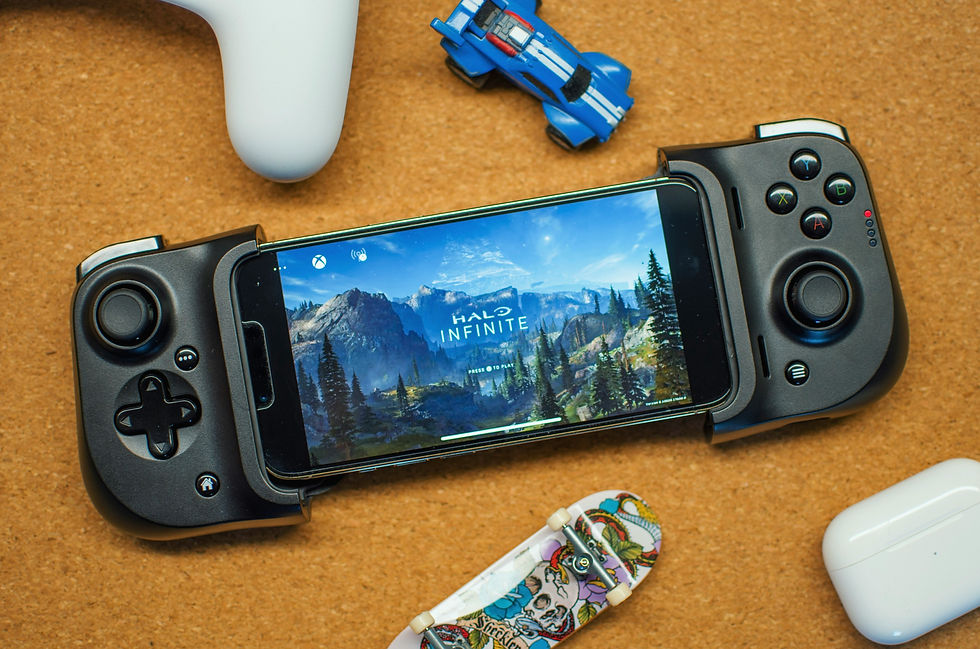
Clip-on triggers and full mobile gamepads have become common accessories for anyone who plays more than casual match-three games on a phone, promising console-like control on a touchscreen device. Whether they are worth buying depends heavily on what someone actually plays and how long they play it, since the benefit is real in some games and close to meaningless in others.
Where Controllers Help Most
The clearest gains show up in games built around continuous movement and aiming, such as first- and third-person shooters, racing games, and platformers, where a physical stick or D-pad allows finer, more repeatable input than a thumb sliding across glass. Touch controls place virtual buttons over the same area a player needs to see, which can block part of the action, while a physical controller keeps both hands off the screen entirely. Fighting games and side-scrolling action titles tend to benefit as well, since precise direction changes and button combinations are easier to land with real buttons than with overlapping touch zones that were never designed with combos in mind.
Long play sessions are the other place controllers earn their price. Touchscreen gaming tends to concentrate effort in the thumbs and wrists, since fingers press against a flat, unyielding surface for an extended period. A controller or clip-on grip with real buttons and shaped grips distributes that effort differently and is generally more comfortable to hold for an hour than a bare phone.
Where They Fall Short
Controllers do less for games designed around tapping, swiping, or precise touch gestures, such as most puzzle games, card games, and many mobile strategy titles. Adding a gamepad to a game with no analog control scheme simply gives a player extra buttons that do nothing useful. Idle games and most narrative or visual novel titles fall into the same category, since the entire interaction model assumes a fingertip on glass rather than a directional stick.
Competitive titles are a separate issue worth checking before buying anything. Some popular mobile shooters and battle royale games either restrict controller input in ranked or competitive modes, or support it only through a limited compatibility list, specifically because a physical controller can offer a genuine advantage in aim and movement that developers consider unfair against touchscreen-only opponents. A controller bought specifically to get better at a ranked mode can turn out to be unusable there, so it is worth confirming a game's official controller policy rather than assuming support exists.
Checking Compatibility Before You Buy
Not every controller works with every phone, and the split between Android and iOS is the first thing to check. Most modern controllers connect over Bluetooth using a standard input profile that a wide range of games recognize, but some clip-on grips or wired controllers are built for a specific phone width or connector type and simply will not fit a different model physically.
Game-level support is the second layer. A controller can pair successfully with a phone at the system level while the game itself ignores it, since developers have to add controller support individually rather than getting it automatically. It is worth checking a specific game's settings menu or support page for controller compatibility before assuming that a successful pairing equals working controls in-game, especially for less mainstream titles.
Comfort and Battery Life
Grip shape and weight matter more with phone controllers than with console ones, because the whole assembly, phone included, has to be held up in the air rather than resting on a lap or a table. A controller that feels fine for ten minutes in a store can become tiring after half an hour if the balance point sits too far from the hands, so checking reviews that mention comfort during long sessions is more useful than specifications alone.
Battery life varies widely between clip-on triggers, which are often purely mechanical and need no power at all, and full Bluetooth gamepads, which need their own charge cycle separate from the phone. Running out of controller battery mid-session and having to switch back to touch controls is a common complaint with cheaper units that skip a battery gauge entirely. Keeping a controller charged alongside a phone, rather than remembering it only when it is already dead, is a small habit that avoids the problem most people run into with a new controller during the first few weeks of ownership.
Bluetooth Latency and Build Quality
Cheaper Bluetooth controllers are more likely to introduce noticeable input lag or occasional dropped connections, which is a real problem in a fast-paced shooter even if it is barely noticeable in a slower puzzle or strategy game. Spending a bit more for a controller from a maker with an established track record in gaming peripherals, rather than an unbranded budget option, tends to pay off specifically in that kind of consistency, since a dropped connection at the wrong moment can cost a match regardless of skill.
Retailers that specialize in this category, such as SimplyTechWhiz, which lists mobile gamepads, clip-on triggers, gaming mice, and headsets under its gaming accessories and controllers range, make it easier to compare several types side by side rather than guessing from a single listing. Reading the specific compatibility notes on a listing, not just the category it sits in, remains the most reliable way to avoid a mismatch between a controller and a phone or a game.
A phone controller is worth buying for someone who regularly plays shooters, racing games, or other titles built around continuous movement, and who plays them long enough that hand fatigue is a genuine issue. It is a poor purchase for someone who mostly plays touch-native puzzle or card games, or who wants an edge in a ranked mode that restricts or bans outside controllers. Trying a friend's controller, or checking a specific game's official stance on input devices, is a cheaper way to find out which category applies before spending money on hardware that might sit unused.


