
How Creators Use AI for Professional Color Looks
Updated: 4 days ago
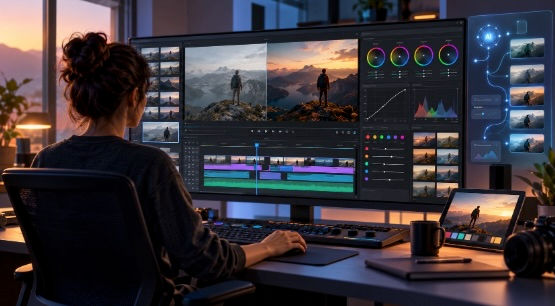
TL;DR: Professional color is no longer limited to large production teams with dedicated colorists. AI-powered editing tools are helping creators correct exposure, balance colors, and build consistent visual styles faster while keeping creative control. This article explains how creators use AI for color workflows, the difference between correction and grading, and how AI-assisted editors can make professional color decisions easier to manage.
Video creators spend hours recording, editing, and refining footage, but one stage often takes more time than expected: making every shot look consistent. A scene filmed under changing lighting conditions can have different skin tones, brightness levels, and color moods. Fixing these issues manually can slow down the entire editing process.
This is where Color Grading and correction become an important part of modern video production. Creators use these techniques to fix technical issues and create a visual style that supports the story they want to tell.
AI is changing how creators approach this process. Instead of adjusting every clip from scratch, creators can use AI tools to analyze footage, suggest changes, and speed up repetitive tasks while still making the final creative decisions themselves.
This article explores how AI helps creators achieve professional color looks, how traditional color workflows work, and how AI tools bring AI assistance into the editing timeline.
Why is color important in video creation?
Color helps viewers understand the feeling and message behind a video. A warm tone can make a travel video feel inviting, while cooler colors can create a more serious or dramatic atmosphere.
Good color work does more than make footage look attractive. It helps create consistency across different scenes.
Creators often face challenges such as:
Different lighting conditions between shots
Cameras producing slightly different colors
Indoor and outdoor footage looking disconnected
Skin tones appearing inconsistent
Footage needing a specific mood or style
A strong color workflow solves these problems by separating two important tasks: correction and creative styling.
Color correction focuses on creating a balanced image. It adjusts exposure, white balance, and unwanted color shifts. Color grading focuses on shaping the final look through contrast, colors, and tone. These two steps work together to create a polished result.
Can AI help creators achieve professional color looks?
AI helps creators achieve professional color looks by analyzing footage, applying adjustments based on instructions, and reducing repetitive editing work. It can support tasks like exposure balancing, color matching, and creating consistent styles across multiple clips while allowing creators to review and refine the final result.
Traditional color workflows often require editors to inspect each shot individually. AI-assisted workflows can speed up the early stages by handling repetitive adjustments and giving creators more time to focus on storytelling.
For example, a creator working on a YouTube documentary may have footage recorded across several locations. Each clip may have different brightness, contrast, and color temperature. AI can help create a more consistent starting point before the creator makes final artistic choices.
However, AI does not replace creative judgment. A filmmaker still decides whether a scene should feel warm, dramatic, nostalgic, or natural.
The best workflows combine both:
AI for repetitive adjustments and analysis
Creators for storytelling decisions
Manual controls for final refinement
This approach helps creators maintain their unique style while reducing time spent on technical corrections.
Understanding Color Grading and Correction
Color Grading and Correction are often discussed together, but they solve different problems.
Color correction comes first. It prepares footage by fixing technical issues. This includes:
Adjusting exposure levels
Balancing white balance
Removing unwanted color casts
Matching shots recorded in different environments
For example, footage recorded indoors under artificial lighting may appear too yellow. Correction tools can help bring the colors closer to a natural appearance.
Color grading comes after correction. It focuses on creative choices, such as:
Creating a cinematic mood
Making colors feel warmer or cooler
Building contrast
Developing a consistent visual identity
A creator making a fitness video might choose bright and energetic colors. A filmmaker creating a mystery short film might prefer darker tones with stronger contrast.
AI tools can support both stages by understanding instructions and applying adjustments across selected clips.
How does AI improve the color editing process?
AI improves color workflows by reducing the amount of manual work required for repetitive tasks. Instead of searching through every clip and adjusting settings one by one, creators can start with AI-assisted changes and refine them afterward.
Some common AI-assisted color tasks include:
Matching colors between shots
When multiple clips are recorded at different times, their colors may not match. AI can analyze visual differences and help create a more consistent appearance.
Applying creative references
Creators often use reference images or videos to communicate a desired style. AI tools can analyze elements like warmth, contrast, and color balance to guide adjustments.
Making targeted changes
Sometimes only one shot needs correction. AI-assisted editors can help creators request changes for specific clips instead of affecting the entire project.
Reducing repetitive work
Long videos often contain many clips that need similar adjustments. AI can speed up these processes while keeping the timeline editable.
Removing the creator from the process is not the aim. It is to make technical tasks easier so creators can focus on the visual story.
How can creators use AI color grading inside an editing workflow?
AI-powered color tools work best when they are part of the main editing process rather than a separate step. When creators can adjust color directly on the timeline, they can see how changes affect the complete sequence.
Invideo Editor allows expert AI editing agents to work on a professional editing timeline. The agents can handle assigned editing tasks while creators review and refine the project themselves.
For creators exploring video color grading with AI, the workflow can include correcting exposure, balancing colours, and creating the look they want. Creators can describe the grade to their AI agents on invideo editor or share a reference image, then fine-tune the result using colour wheels, curves, and manual controls.
A creator can share a reference and tell the agent which shot needs adjustment. The system interprets the reference’s color, warmth, and contrast to guide the changes. The final result still depends on the original footage, including lighting conditions and existing colors.
The color workflow also allows more detailed adjustments. Creators can use:
Hue, saturation, and luminance controls for specific color ranges
LUTs with adjustable strength
Color wheels for shadows, midtones, and highlights
Curves for contrast and channel adjustments
For example, if a creator wants a sunset scene to feel warmer, they can ask the editing agent to adjust the specific shot. They can then continue refining the result manually using color controls.
This combination of AI assistance and manual editing gives professionals flexibility. The creator decides the final look while AI helps manage the technical workload.
The role of AI agents in modern editing workflows
AI agents are becoming useful because video editing involves many small tasks beyond creative decisions. Editors often spend time reviewing footage, finding usable clips, removing unwanted sections, and preparing different versions.
An agentic editing workflow allows creators to assign these tasks instead of completing every step manually.
Invideo Editor uses AI editing agents that can review footage, select takes, remove unusable material, and create an editable base cut based on creator direction.
This approach is useful for projects such as:
Long YouTube recordings
Interviews and podcasts
Documentary projects
Multicam videos
Marketing campaigns
For example, an interview editor may first use AI assistance to organize footage, then focus their time on storytelling, pacing, and final visual choices.
The same idea applies to color. Instead of spending hours making basic adjustments across every clip, creators can use AI support for initial work and spend more time refining the creative direction.
You can also explore how broader workplace workflows are changing with AI, where automation and collaboration trends are shaping how teams handle creative and operational tasks.
Building a consistent visual style with AI
One of the most difficult things in video production is maintaining consistency. A creator may record dozens of clips across different locations, cameras, and lighting conditions.
A consistent color style helps viewers feel that all parts of the video belong together.
Creators can build consistency by:
Creating a reference style before editing
Matching similar scenes together
Saving preferred color treatments
Reviewing footage as a complete sequence
AI can support this process by helping creators apply a starting point across multiple clips. However, every project still requires human judgment because creative choices depend on the story, audience, and intended emotion.
A travel creator may want natural colors that represent a location accurately. A brand filmmaker may want a specific visual identity across every campaign video.
The technology supports both approaches by making adjustments easier to manage.
Conclusion
Professional color work is becoming more accessible as AI tools help creators handle technical tasks faster. Color Grading and correction remain a creative process, but AI can reduce repetitive work and help creators build consistent visual styles.
Creators can use AI to balance exposure, match colors, apply references, and prepare footage before making final artistic decisions. Tools like Invideo Editor show how AI agents can work alongside creators by handling editing tasks while keeping the timeline open for human control.
The future of video editing is not about replacing creative decisions. It is about giving creators more time to focus on storytelling, style, and ideas.
Ready to explore how AI can support your own color workflow?
Key takeaways:
Color correction fixes technical issues, while color grading creates the visual mood.
AI can speed up repetitive color tasks without removing creative control.
Reference images can help communicate a desired visual style.
Professional color workflows work best when AI assistance and manual controls work together.
Creators should use AI to save time while keeping final creative decisions in their hands.
Frequently Asked Questions
What distinguishes color grading from color correction?
Color correction focuses on balancing footage by fixing exposure, white balance, and color problems. Color grading focuses on creating a specific visual style through contrast, colors, and tone. Both steps work together to create professional-looking video content.
Can AI automatically color grade a video?
AI can help create color adjustments based on instructions, references, or existing footage. However, creators still need to review the result because the final look depends on the story, footage quality, and creative goals.
Can creators use reference images for AI color grading?
Yes. Creators can share reference images and guide AI tools toward a specific style. The system can interpret elements like color, warmth, and contrast to guide adjustments, while the creator can continue refining the result.
Does AI replace professional colorists?
AI does not replace creative decision-making. Professional colorists and creators still decide how footage should feel. AI mainly helps reduce repetitive work and provides faster ways to explore different visual options.
Can AI help with only one shot instead of the whole video?
Yes. AI-assisted workflows can target specific shots for adjustment. In invideo editor, creators can request changes for a specific shot without asking for the entire sequence to be regraded.
What controls are available after AI makes color adjustments?
Creators can continue refining their footage with manual controls such as color wheels, curves, LUT adjustments, and other color tools. This allows creators to combine AI assistance with detailed editing control.


